
Pick what to hear
Summary, full page, or just the selection.
Open the side panel from your browser. Highlight text to hear only that part, or let the extension use the page you are on.
Listen to articles, docs, and selections
AI web reader turns articles, documentation, and selected text into natural speech in Chrome. Choose a summary or the full page, then start listening as soon as the audio is ready.
Requires your own OpenAI API key. OpenAI usage is billed separately.
The initial release is Chrome-only. Edge, Brave, and Firefox remain on the deferred roadmap.
Workflow
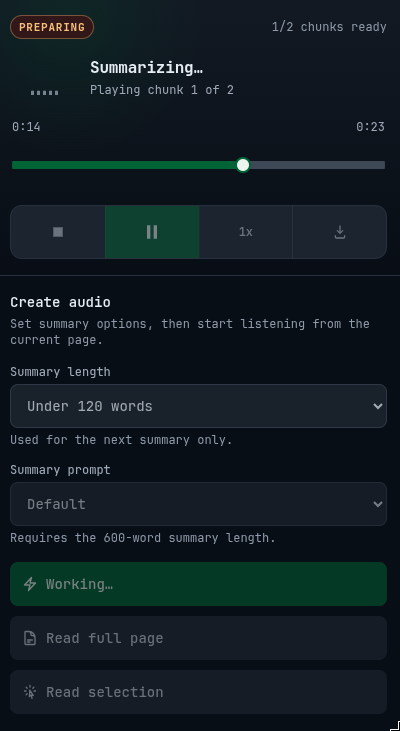
Choose a page or selection. AI web reader finds the main text, prepares it for listening, and creates short audio parts so playback can start quickly.
Current tab
Long documentation page
Pick what to hear
Open the side panel from your browser. Highlight text to hear only that part, or let the extension use the page you are on.
Find the page text
The extension reads the visible page, skips repeated clutter, and focuses on the text that matters.
Choose the listening style
For summaries, choose how brief it should be, how it should sound, and about how long it should take.
Create and continue
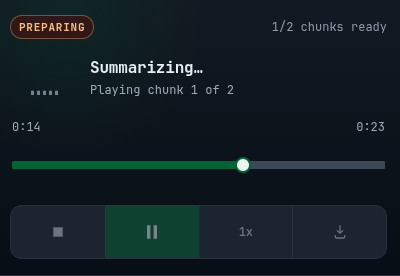
You can start listening as soon as the first part is ready. The rest keeps preparing in the background, so long pages do not need to finish before playback begins.
Features
Summarize and listen for quick takeaways. Read the full page when every detail matters. Or select a passage and listen to just that part. The extension adapts to what you need.
Twelve summary presets shape the output for your context. Explain like I'm five for dense topics, executive briefing for quick decisions, technical breakdown for code and architecture, or podcast recap for something conversational.
Ten OpenAI voices, six playback speeds, and a live equalizer. Speed through a briefing at 2x, or slow down a technical walkthrough. The audio feels like yours because you control it.
Plans
Founding prices are temporary and may increase as the product develops.
Requires your own OpenAI API key. OpenAI usage is billed separately.
Individual
1 key · 1 installation
USD 19.00
one-time
Founding price: $19 one-time. Temporary early-customer pricing that may increase as AI Web Reader develops.
Best value
3 separate keys · 1 installation each
USD 39.00
one-time
Three separate one-installation license keys for $39. Temporary founding pricing that may increase as AI Web Reader develops.
Check your email. Your license key will be sent after successful payment.
No. Page extraction and settings stay in the browser. When you ask for audio or a summary, the extension sends the needed text to OpenAI; we do not store page content on our servers.
No. Access is license-key based so you do not need another account.
Requires your own OpenAI API key. OpenAI usage is billed separately.
The initial release supports Google Chrome only. Edge, Brave, and Firefox are on the deferred roadmap.
Email [email protected] with your Polar purchase ID. We can verify the payment and help recover access.